/
Getting started (version 1.0.*-AC)
Getting started (version 1.0.*-AC)
- Andrey Stepanov
Owned by Andrey Stepanov
Edit confluence page
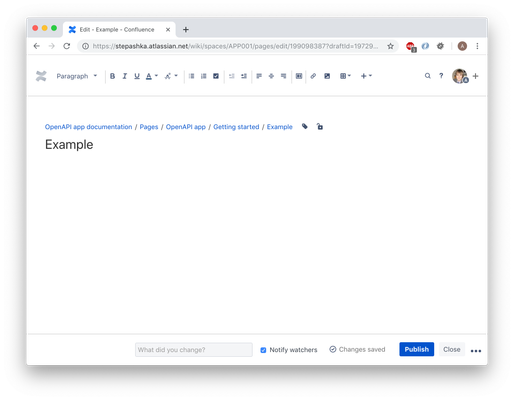
Add widget to the page
Click `Insert more content`, choose `Other macros` option. Search for `Visualize OpenAPI(Swagger) documentation` macro.
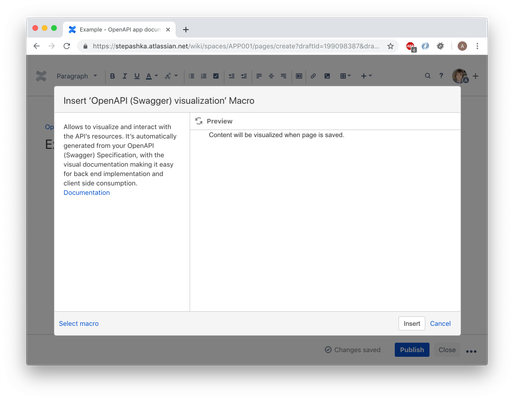
Post documentation
Type in or post the OpenAPI documentation to the macro window. Use preview window if needed to check the intermediate result.
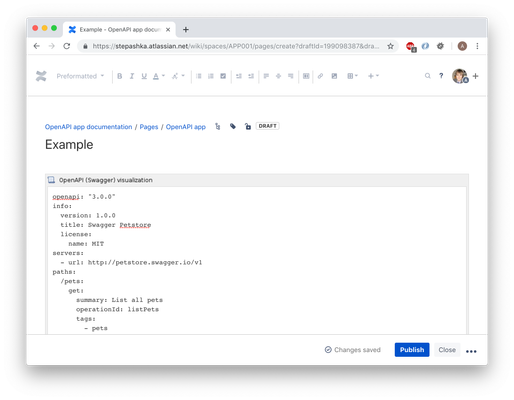
Save page
After page is save the widget will render your documentation to the convenient easy to use interface. More documentation can be found at https://swagger.io/tools/swagger-ui/ .
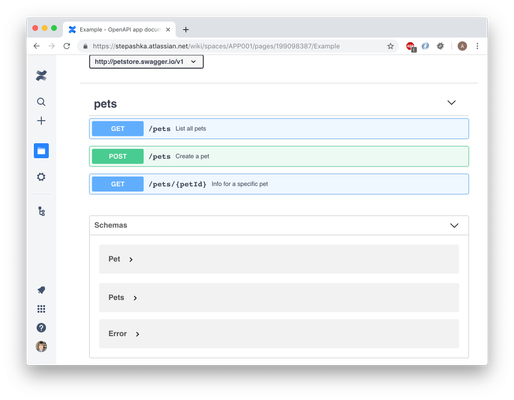
Error handling
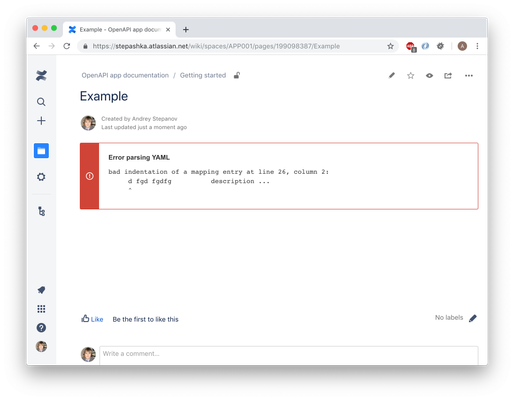
If your documentation contains issues the error message with issue description will be shown.
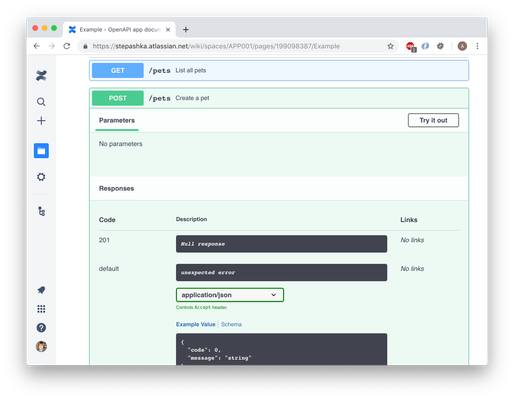
Use generated documentation
Interface allows you to send requests to the documented API.
On this page:
, multiple selections available,
Related content
Getting started (version 1.1.*-AC)
Getting started (version 1.1.*-AC)
Read with this
Getting started
Getting started
More like this
Upgrade from 1.0 to 1.1 (easy)
Upgrade from 1.0 to 1.1 (easy)
More like this
Live demo
Live demo
Read with this
FAQ
More like this
Installation
Installation
More like this